

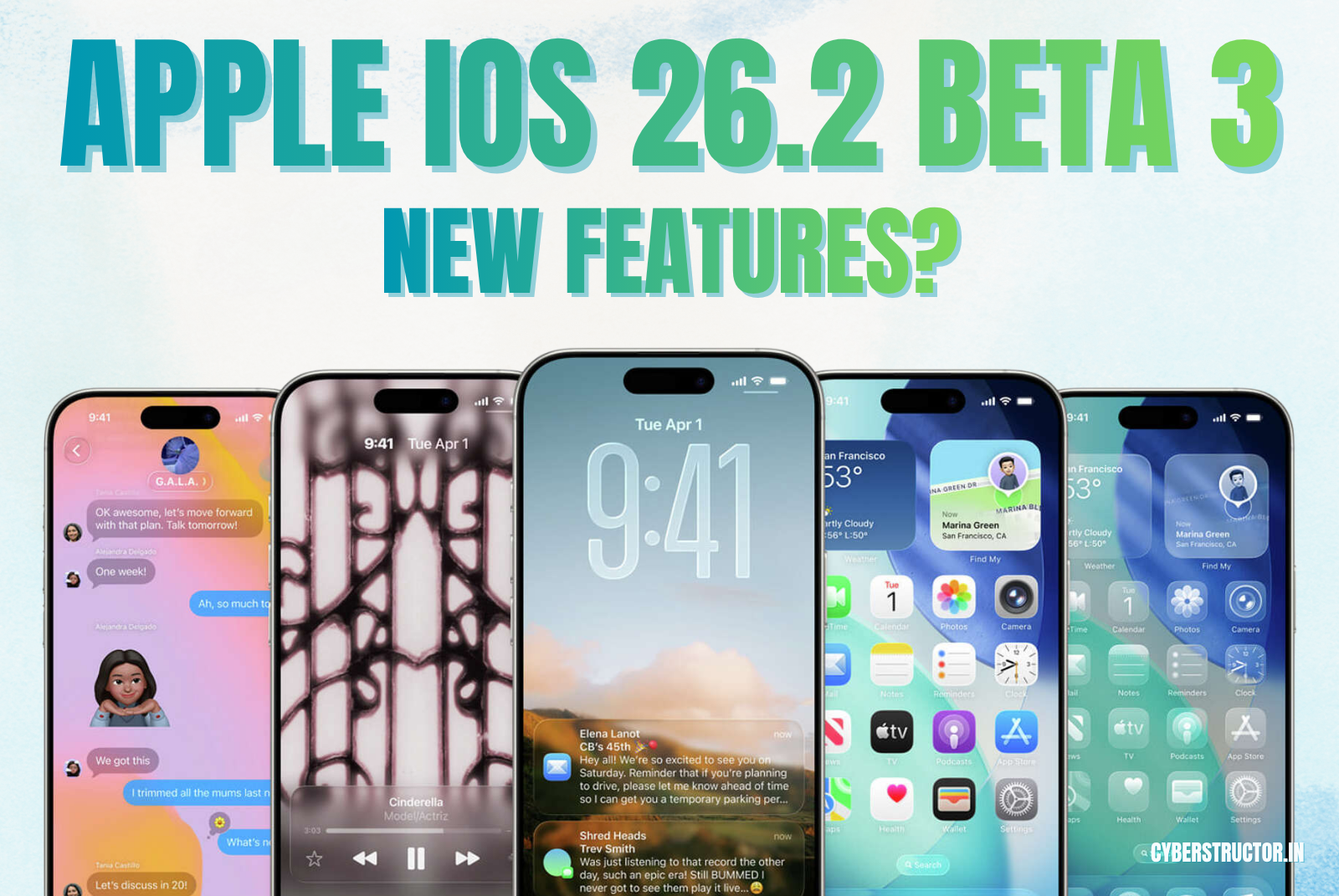
Apple just dropped the third beta for iOS 26.2, and it’s a big one. On the surface, it looks like a simple “clean-up” update, but digging in, it’s clear Apple is doing two things at once: fixing some of its most annoying recent mistakes and rolling out some genuinely smart new features.
This update is a direct response to user feedback—and thank goodness for that. Let’s break down what’s new in simple, human terms.
Apple iOS 26.2 Beta 3 Features are:
1. AirDrop Is Finally Getting the Fix We’ve All Wanted
You know that annoying moment when you want to AirDrop a photo to someone new? You have two bad options:
- “Contacts Only”: Useless, because they aren’t in your contacts.
- “Everyone for 10 Minutes”: Risky, because it opens you up to spam or gross photos from strangers.
iOS 26.2 Beta 3 introduces an elegant solution: a temporary AirDrop code system.
You may now create a one-time ticket to give to a non-contact. When they utilize it, a 30-day sharing window is created between your two devices and a file exchange is authorized. This is a great, sensible solution. It’s ideal for sharing with a new acquaintance or coworker at a conference without compromising your privacy or exchanging contact information.
2. For iPad Users: Multitasking Is Back!
iPad power users, rejoice! Apple has heard your (very loud) complaints.
When Apple launched iPadOS 26, it “streamlined” multitasking by removing some of the most-loved features, like the easy-to-use Slide Over. It was a disaster for anyone who relied on those gestures for productivity.
This beta is a major course correction. Apple is bringing back the fast, gesture-based, drag-and-drop multitasking. Just like in the good old days (iPadOS 18), you can once again drag an app icon from your Dock or Spotlight to the side of the screen to instantly start Split View or Slide Over.
This is a huge win for iPad fans and a clear sign Apple is listening.
3. You Can Actually Read the Clock Now
The new “Liquid Glass” design on the Lock Screen looks cool, but for many, it made the clock a blurry, hard-to-read mess. Form over function, right?
Well, Apple is fixing it. Beta 3 adds a new slider for the Lock Screen clock that gives you “finer control” over its transparency. You can make it more solid and easier to see, which is a big win for, you know, actually telling the time.
4. Small Changes That Make a Big Difference
This beta is also packed with small “quality of life” improvements across a bunch of different apps:
- Health App: Your “Sleep Score” is getting recalibrated. The “Excellent” rating is being replaced with “Very High” because the old system was apparently “too generous” and didn’t feel credible.
- Reminders: A new “Urgent” toggle for tasks will let that notification bust through your Focus modes. Perfect for “don’t actually forget this” moments.
- Podcasts: The app is getting smarter. It will use AI to automatically create chapters for episodes, making them much easier to navigate.
- CarPlay: You can now finally hide or disable pinned conversations in the Messages app to declutter your car’s screen.
- HealthKit : This is a quiet but huge deal. A new API will let third-party apps (like your doctor’s MyChart app) read hypertension (high blood pressure) alerts from your Apple Watch, with your permission. This is a major step in turning the Watch from a wellness device into a serious clinical tool.
The Not-So-Good News: Bugs and Battery
Now for the reality check. This is still a beta, and it sounds like it’s a rough one for some. Despite this being the third beta (which is usually pretty stable), many users are reporting:
- Terrible battery life
- Sluggish performance
- A critical bug where wired CarPlay crashes, especially when using Maps
It seems Apple is still struggling to fix the core stability issues that have plagued iOS 26 since its launch.
You can also check
Laptop Buying Guide 2025
Final Thoughts
iOS 26.2 Beta 3 is shaping up to be a really important update. The fixes for AirDrop and iPad multitasking show Apple is listening to its biggest complaints. The new health features are genuinely innovative.
Here’s hoping they can squash those nasty performance and CarPlay bugs before the final version, which is expected to land sometime in December.
Frequently Asked Questions
1. When will the final version of iOS 26.2 be released to everyone?
Most signs point to December. The latest beta ends with a “b” suffix, and that usually means Apple is polishing the final build before rolling it out. They like dropping these right before the holidays, and this timing fits that pattern perfectly.
2. Is it safe to install iOS 26.2 Beta 3 on my main phone?
I wouldn’t recommend it. Testers keep reporting weak battery life, random app crashes, and some CarPlay instability. Unless you’ve got a spare iPhone lying around, better wait for the public release. Those small bugs pile up fast on your main device.
3. How does the new AirDrop “One-Time Code” actually work?
It’s surprisingly simple. Instead of flipping AirDrop to “Everyone,” you just generate a single-use code. Hand that code to whoever needs to send you something, and it builds a private, 30-day connection between the two devices. You get convenience without random strangers trying to share nonsense files.
4. Did they really fix multitasking on iPad?
Yeah, they did. The new window setup confused a lot of people, so Apple quietly brought back the old drag-and-drop gestures. You can pull apps straight from the Dock again to start Split View or Slide Over. It feels familiar—smooth, less fiddly.
5. What is the “Liquid Glass” slider mentioned in the update?
It’s a Lock Screen tweak. Some users thought the clock looked washed out or too soft before. The Liquid Glass slider fixes that—you can adjust the transparency, make the time pop again. It’s small but makes the screen look cleaner, sharper.



Leave a Reply